Pipeline Refactoring, Input, Egui Tiles, and Shadow Mapping
2024-12-25
Auto translated into English by AI.
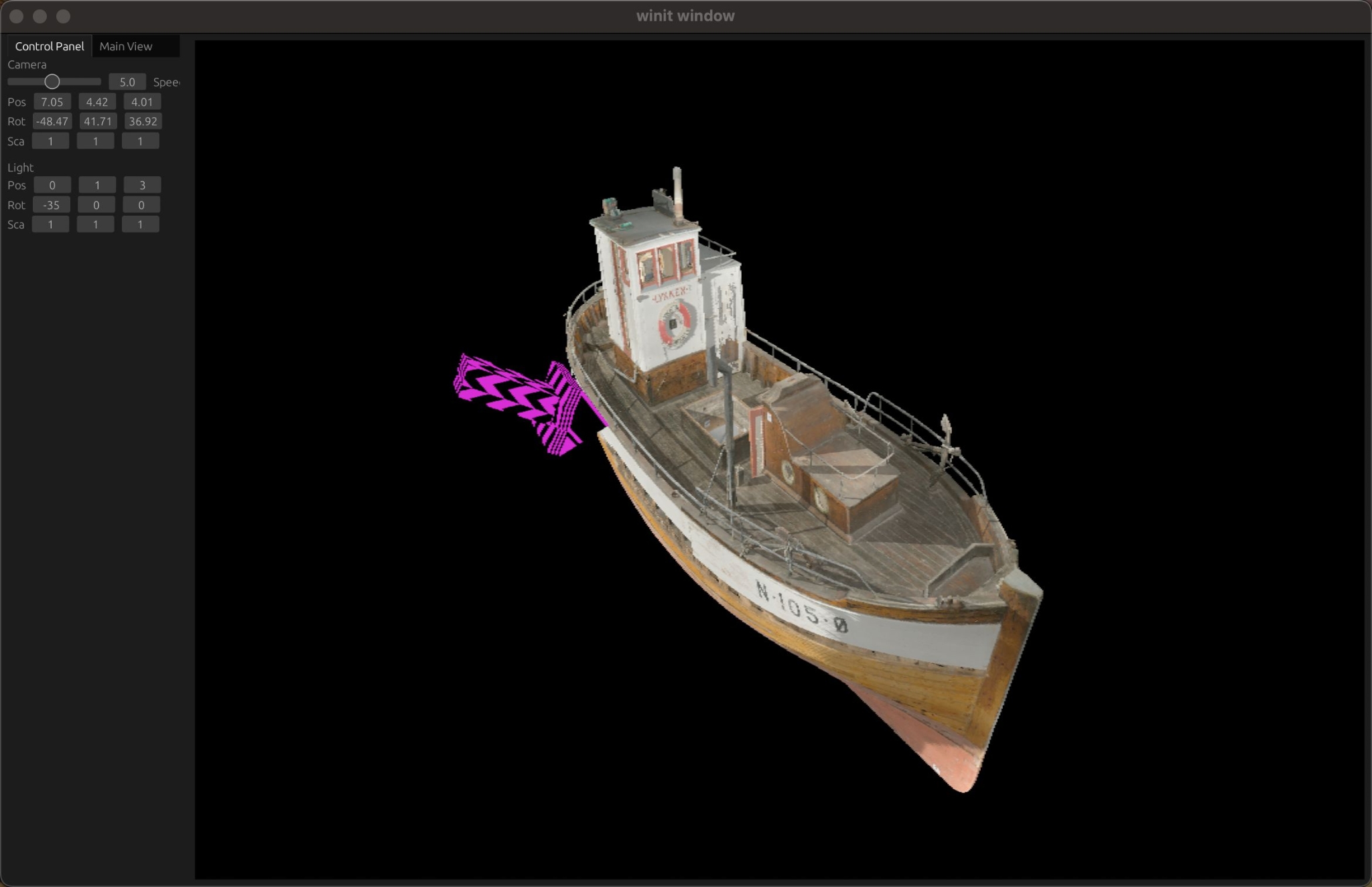
Model https://sketchfab.com/3d-models/mkr-lykken-91b274a40ebe46cd931235ac32ae0492
The arrow represents the directional light's position and direction (the black-and-purple material shows that Default Material is working properly).
Rendering pipeline refactoring
The old Bind Group management had serious problems. On my computer, there can be at most 4 Bind Groups. The first step in the refactoring was to bring the Bind Group arrangement closer to that of modern game engines. The current Bind Groups are shown below.
| BindGroup | Description | Current contents |
| 0: Global | Global resources, such as the camera, directional light, and Shadow map | [0] Camera Buffer |
[1] Global Light Uniform [2] Shadow Map Texture2D [3] Shadow Map Sampler | | 1: Material | Material resources, such as textures | [0] Texture 0 [1] Sampler 0 | | 2: Object | Resources for each MeshRenderer, such as Transform | [0] Transform Buffer |
Target
The rendered image is now output to a texture, managed as a Bevy Resource. This also makes it possible to render into an Egui image. The rendering Target is currently split into two textures: Color and Depth.
Macros for writing BindGroup quickly
I wrote two declarative macros to make writing BindGroup and BindGroupLayout quicker.
BindGroupLayout
#[macro_export]
macro_rules! bg_layout_descriptor {
    ([$name:literal] $($i:literal: $vis:expr => $c:expr;)*) => {
        wgpu::BindGroupLayoutDescriptor {
            label: Some($name),
            entries: &[
                $($c.into_bgl_entry($i, $vis),)*
            ]
        }
    };
    () => ()
}let material_bind_group_layout =
Arc::new(device.create_bind_group_layout(&bg_layout_descriptor!(
["Material Bind Group Layout"]
0: ShaderStages::FRAGMENT => BGLEntry::Tex2D(false, TextureSampleType::Float { filterable: true });
1: ShaderStages::FRAGMENT => BGLEntry::Sampler(SamplerBindingType::Filtering);
)));For convenience, I've wrapped BindGroupEntry in an enum type, BGLEntry.
BindGroup
#[macro_export]
macro_rules! bg_descriptor {
    ([$name:literal] [$layout:expr] $($i:literal: $c:expr;)*) => {
        wgpu::BindGroupDescriptor {
            label: Some($name),
            layout: $layout,
            entries: &[
                $(wgpu::BindGroupEntry{
                    binding: $i,
                    resource: $c,
                },)*
            ]
        }
    };
}let bind_group_layout =
Arc::new(device.create_bind_group_layout(&bg_layout_descriptor! (
["Global Bind Group Layout"]
0: ShaderStages::VERTEX => BGLEntry::UniformBuffer(); // Camera Uniform
1: ShaderStages::all() => BGLEntry::UniformBuffer(); // Global Light Uniform
2: ShaderStages::FRAGMENT => BGLEntry::Tex2D(false, TextureSampleType::Depth); // Shadow Map
3: ShaderStages::FRAGMENT => BGLEntry::Sampler(SamplerBindingType::Comparison); // Shadow Map
)));Simple input with Input
I've now implemented a simple input wrapper, managed by a Resource called Input. It can detect keyboard input, mouse movement, mouse position, and mouse buttons in the style of Unity Input.
pub struct Input {
    pub down_keys: HashSet<KeyCode>,
    pub hold_keys: HashSet<KeyCode>,
    pub up_keys: HashSet<KeyCode>,
    pub last_cursor_position: Vec2,
    pub cursor_position: Vec2,
    pub cursor_offset: Vec2,
    pub down_cursor_buttons: HashSet<CursorButton>
}
Here's how it's used:
    let mut move_vec = Vector3::new(0., 0., 0.);
    if input.is_key_hold(KeyCode::KeyW) {
        move_vec += Vector3::new(0.0, 0.0, -1.0);
    }
    ...
    if input.is_key_hold(KeyCode::Space) {
        if input.is_key_hold(KeyCode::ShiftLeft) {
            move_vec += Vector3::new(0.0, -1.0, 0.0);
        } else {
            move_vec += Vector3::new(0.0, 1.0, 1.0);
        }
    }
    let delta_time_sec = time.delta_time.as_secs_f32();
    if move_vec != Vector3::new(0., 0., 0.) {
        move_vec =
            cam_transform.rotation.rotate_vector(move_vec.normalize()) * speed * delta_time_sec;
        cam_transform.position += move_vec;
    }
Our render and various update function calls happen on winit's RedrawRequested event. Input events belong to the same enum as RedrawRequested and can occur between two RedrawRequested events. So, to ensure that Input is stable when used in update, part of Input needs to be updated during event handling (WindowEvent), and part during the various updates, as shown below.
| Update timing | What is updated |
| WindowEvent | Insert into down_keys and up_keys; insert into and remove from hold_keys |
| pre_update | Update cursor_offset and last_cursor_position |
| post_update | Clear down_keys and up_keys |
Egui Tiles
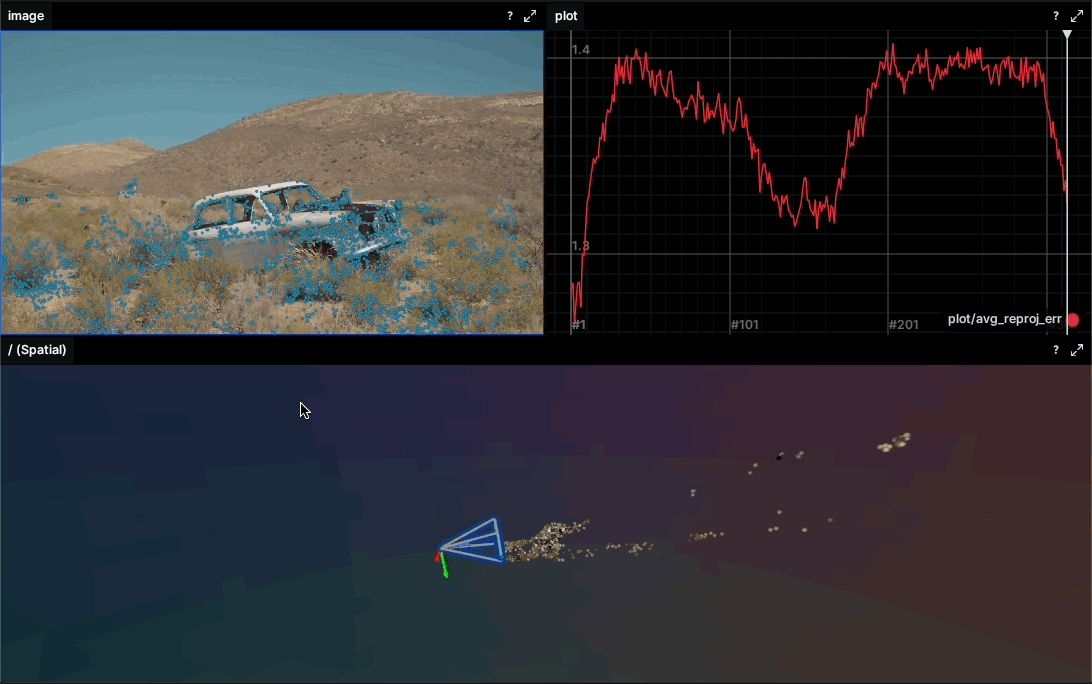
Image from the official github page https://github.com/rerun-io/egui_tiles
egui_tiles is a library that implements tabs for the egui GUI library. egui_dock offers similar functionality; I've used it before and liked it. To try a new library, I used egui_tiles in this project anyway. After using it, I still find egui_dock easier to get started with, and it offers more features.
In the header image of this devlog, you can already see the program's sidebar and tabs for controlling camera and light parameters.
egui_tiles calls each content-bearing section a Pane and each tab a Tab. Each tab has a different layout. The context for the entire tab tree is called Behavior. Behavior is also a trait, and we write each Pane's ui behavior in its implementation. We can declare Panes using an enum. For example:
pub enum MyPane {
    MainView,
    ControlPanel,
}
When implementing Behavior, we need to specify the Pane generic parameter (MyPane in the example below).
struct MyBehavior<'a> {
    world: &'a mut World, //这里的 World 是 bevy_ecs 中的 Wrold,我们实现 ui 的时候需要用它
}
impl<'a> egui_tiles::Behavior<MyPane> for MyBehavior<'a> {
    fn pane_ui(&mut self, ui: &mut egui::Ui, ..., pane: &mut MyPane) -> egui_tiles::UiResponse {
        match pane {
          ...
        };
        egui_tiles::UiResponse::None
    }

    fn tab_title_for_pane(&mut self, pane: &Pane) -> egui::WidgetText {
        match pane {
            Pane::MainView => "Main View".into(),
            Pane::ControlPanel => "Control Panel".into(),
        }
    }
}
We also need to define the tree structure of our tabs:
fn create_tree() -> egui_tiles::Tree<MyPane> {
    let mut tiles = egui_tiles::Tiles::default();
    let mut left_tabs_id_vec = vec![];
    let control_pane = tiles.insert_pane(MyPane::ControlPanel);
    let main_view_pane = tiles.insert_pane(MyPane::MainView);
    left_tabs_id_vec.push(tiles.insert_vertical_tile(vec![control_pane]));
    left_tabs_id_vec.push(tiles.insert_vertical_tile(vec![main_view_pane]));
    let left_tabs = tiles.insert_tab_tile(left_tabs_id_vec);
    let root = tiles.insert_horizontal_tile(vec![left_tabs]);
    egui_tiles::Tree::new("main_tree", root, tiles)
}
Finally, call the rendering code wherever it's needed:
...
let mut tree = create_tree();
let mut behavior = TreeBehavior { world };
tree.ui(&mut behavior, ui);
...
For more usage examples, see examples on the egui_tiles github page.
Shadow Mapping
The basic principle of Shadow Mapping is to render a depth map from the light's point of view in an earlier Pass. In the main Pass, we sample this depth map to obtain the nearest fragment depth as seen from the light. We compare that nearest depth with a fragment's actual depth in light space. If the actual depth is greater, the fragment is in shadow. For both theory and practice, see this article: https://learnopengl.com/Advanced-Lighting/Shadows/Shadow-Mapping
I'll briefly describe my implementation process and the pitfalls I hit.
First, we need to add a new Pass to the pipeline to render the light-space depth map. This Pass uses the light's matrix and the object's Transform Buffer. This requires calculating the light's transformation matrix (View Projection, abbreviated VP below), which is where I hit my first pitfall. The math library I use, cgmath, is designed for OpenGL. OpenGL matrices are column major, but wgpu matrices default to row major. This meant the matrices I passed to the shader were always wrong. Fortunately, I eventually found the problem; a transpose was enough to fix it.
For Column Major and Row Major matrix representations in computers, see this article: http://davidlively.com/programming/graphics/opengl-matrices/row-major-vs-column-major/
Next comes rendering the Shadow in the main Pass. Along with the Shadow Map texture and Sampler, we also need to pass the light's transformation matrix. I added a light_space_clip_pos field to VertexOutput.
...
out.light_space_clip_pos = light.view_proj * vec4<f32>(out.world_pos, 1.0);
...
Then, in the fragment shader, we can use light_space_clip_pos to calculate the uv for sampling the Shadow Map and the current fragment's depth in light space.
...
var light_space_pos = in.light_space_clip_pos;
var proj_coords = light_space_pos.xyz / light_space_pos.w;
let flip_correction = vec2<f32>(0.5, -0.5);
var uv = proj_coords.xy * flip_correction + vec2<f32>(0.5); // reverse y and map [-1, 1] to [0, 1]
var shadow = textureSampleCompare(tex_shadow_map, samp_shadow_map, uv, proj_coords.z);
...
Here, flip_correction is needed to flip y. This was my second pitfall. The NDC origin is at the bottom left, with y pointing up, while the material uv origin is at the top left, with y pointing down, so a flip is needed. Multiplying by 0.5 and adding 0.5 maps the NDC xy range [-1,1] to the uv range [0,1]. Wgpu's NDC z range is [0,1], so it needs no extra processing. Its value after division by w is used as the current fragment's camera-space depth.
For pipeline, sampler, and depth map configuration, Wgpu's examples provide a shadow implementation worth reading: https://github.com/gfx-rs/wgpu/tree/trunk/examples/src/shadow
Still a lot of problem
I thought Shadow Mapping was an old and mature technique, but it turns out that getting good results still takes a lot of work. So far, I've only implemented Shadow Mapping for a directional light. There is more optimization to do. Here's a list of what I still need to work on:
-
Cascaded Shadow Mapping (CSM): CSM divides the player's visible view into several parts, each covered by a separate Shadow Map. It aims to solve the perspective, utilization, and precision problems of directional-light Shadow Mapping. https://learnopengl.com/Guest-Articles/2021/CSM
-
Shadow Mapping for multiple lights: A texture array should do it, with one Shadow Map per light. The shadow example in Wgpu's examples implements multiple lights and is a good reference.
-
Multiple light types: How to set up projection matrices for different light types is another thing that will take some time to study.
-
Percentage-Closer Soft Shadows (PCSS): Soft shadows that vary with distance.
-
Anti-aliasing: I don't know much about it yet; I'll look up some resources later. Implementing this made me really appreciate how important anti-aliasing is for Shadow Mapping. The current program often has terrible aliasing.
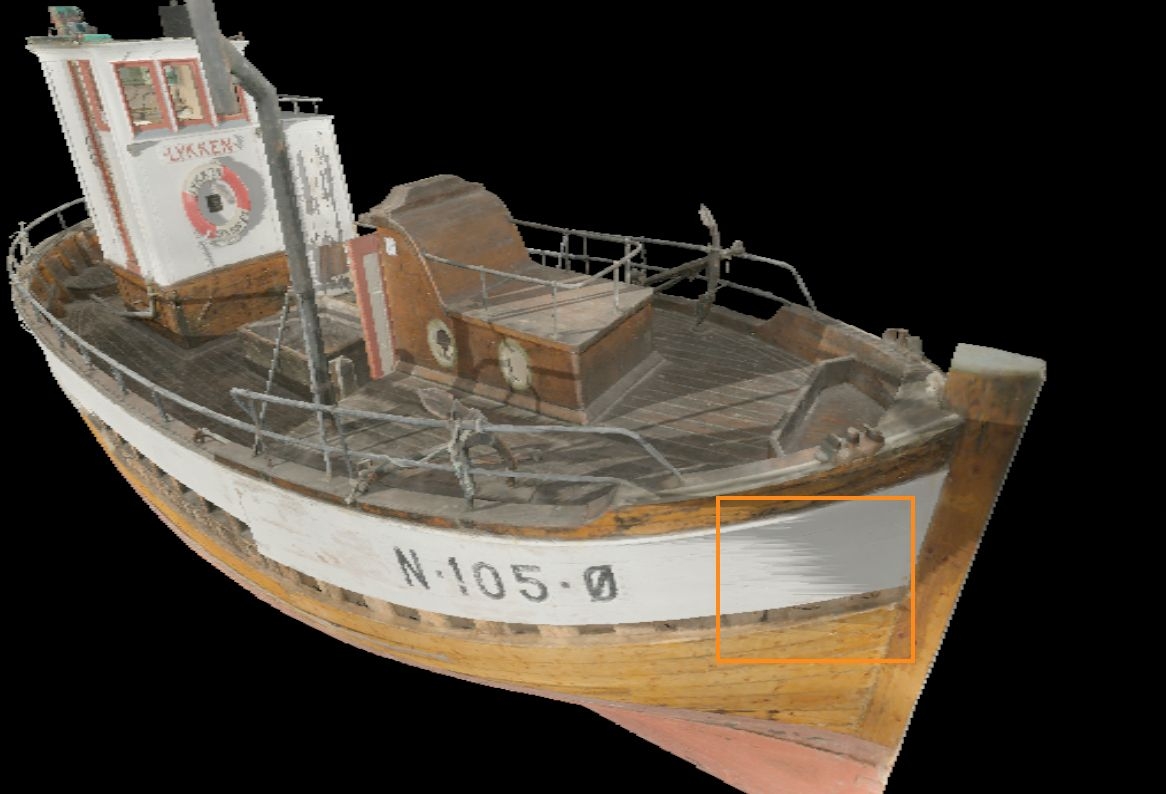
Next Station
Still, I've spent too much energy on Shadow Mapping (because of problems caused by my unfamiliarity with the libraries and matrices). I think I'll set it aside for a while and work on something else for a change. Lately, I've been thinking of implementing SSAO (Screen Space Ambient Occlusion) first! If possible, I'll also fix the normal transformation issue [[Transforming Normal](https://terathon.com/blog/transforming-normals.html)]. Once the normals are fixed, perhaps I can implement HBAO (Horizon-Based Ambient Occlusion). SSAO requires writing a post-processing pipeline, so I can implement MSAA afterward.