Notes on Building a Static Blog Generator with Kotlin/JVM
2023-10-02
Auto translated into English by AI.
0. Writing a blog generator in Kotlin
What is Kotlin?
Kotlin website
Kotlin is a programming language for developing JVM programs, cross-platform applications, backends, and more. It's compatible with Java.
Here's how the parts of my project divide up the work:
-
Kotlin-jvm: Frontend generator
-
Notion: Database
-
Typescript: Compiled to JavaScript
1. Setting up the development environment
Kotlin libraries used:
-
kotlinx.html: A kotlinx.html library provides DSL to build HTML to Writer/Appendable or DOM.
-
notion-sdk-jvm: A Notion API SDK for any JVM language users.
-
mordant: Colorful styling for command-line applications.
dependencies {
    testImplementation(kotlin("test"))
    val kotlinxHtmlVersion = "0.9.1"
    val notionSdkVersion = "1.9.0"
    val mordantVersion = "2.1.0"
    implementation("org.jetbrains.kotlinx:kotlinx-html-jvm:${kotlinxHtmlVersion}")
    implementation("com.github.seratch:notion-sdk-jvm-core:${notionSdkVersion}")
    implementation("com.github.ajalt.mordant:mordant:${mordantVersion}")
}
2. Fetching data from a Notion database
To get data from Notion using notion-sdk-jvm, you first need a token for your Notion account. You can generate one on the page below.
Notion – The all-in-one workspace for your notes, tasks, wikis, and databases.
Notion's integration page
After obtaining a token from an Integration, you can instantiate the NotionClient class, whose constructor accepts the token as a parameter. To avoid exposing the token to others and keep the data secure, we store it in an environment variable named NOTION_TOKEN and retrieve it as follows.
val notionToken = System.getenv("NOTION_TOKEN");
NotionClient(token = notionToken).use { client ->
    //todo
}
NotionClient has many methods for retrieving data. For details about each way of fetching data, see the Notion API.
3. Saving data and updating it incrementally
Fetching Notion data again every time we generate the blog is slow, so we separate fetching the data from generating the blog. What we get when requesting data from Notion is serialized JSON, which we first store locally. When generating the blog, we deserialize it into Kotlin objects for use.
Serializing and deserializing data
notion-sdk-jvm doesn't provide an API for obtaining JSON data directly; all its methods return deserialized Kotlin objects. So we can extract the parts we need from its API, copy the method, and return the JSON directly (body : String).
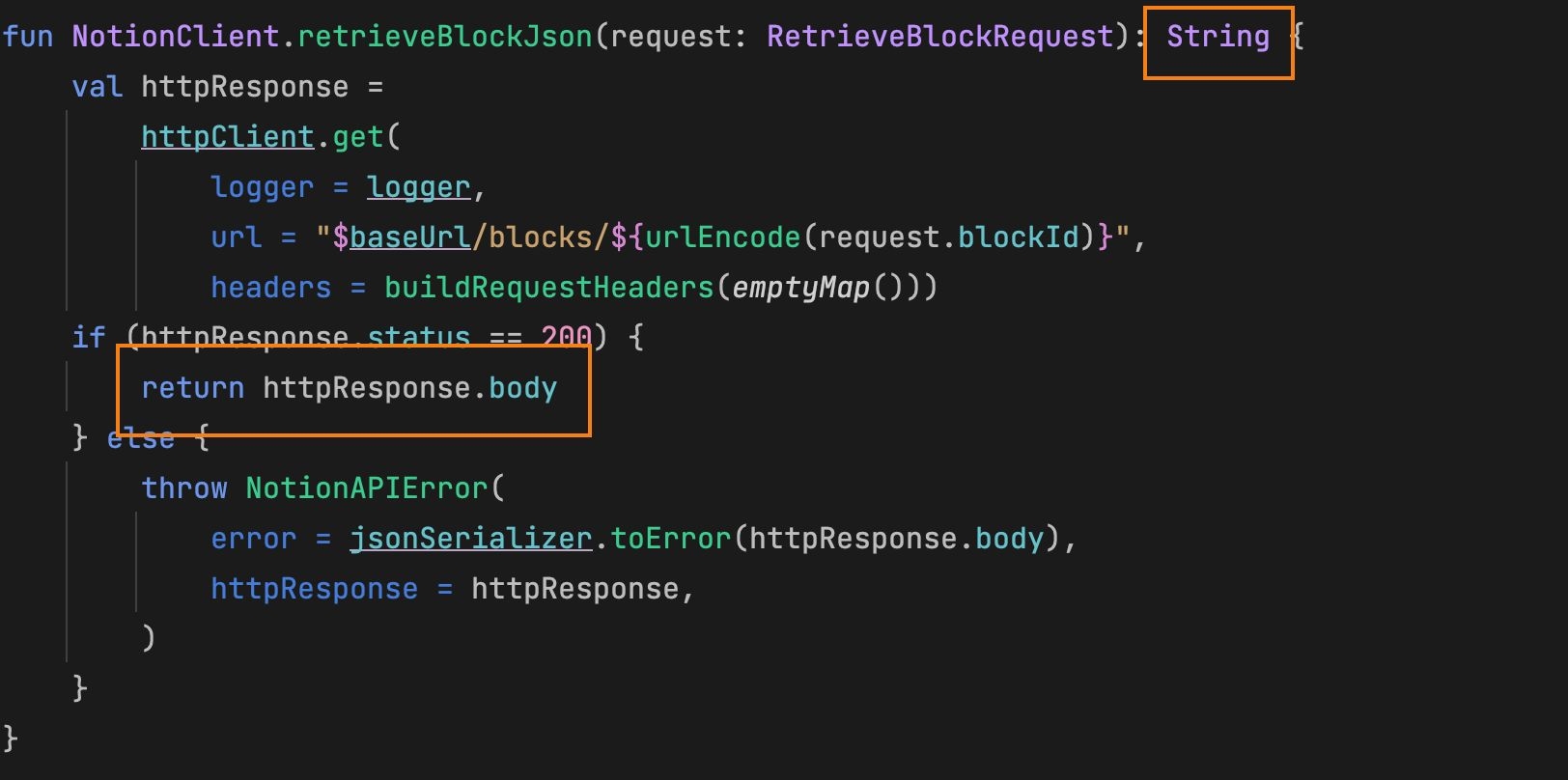
Then we just write it to a local file.
notion-sdk-jvm's deserialization functionality is in NotionJsonSerializer and its subclasses. We can call NotionClient.defaultJsonSerializer directly to deserialize a JSON string into a Kotlin object.
Data storage structure
After fetching the data, we can save it to a local folder with roughly the following structure:
notionData
  - database.json
  - queryDatabaseResult.json
  - a.json //某个文章的id
  -> a //某个文章的id的文件夹,递归地存储block内容
    - b.json
    - img_b.png //如果某个block是图片,则存储图片资源以img_id的格式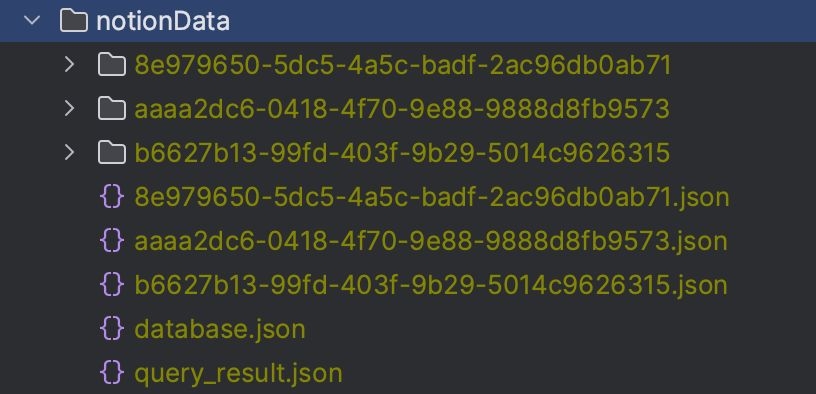
Updating data incrementally
When fetching data, we can compare the last update time, lastEditedTime, to determine whether a page or block needs updating.
private fun isBlockNeedToUpdate(block: Block, parentPath: Path): Boolean {
      val pageFile = parentPath.childPath(block.id!! + ".json").toFile()
        if (pageFile.exists() && pageFile.isFile) {
            val existPage = client.jsonSerializer.toBlock(pageFile.readText())
            if (existPage.lastEditedTime == block.lastEditedTime)
                return false
        }
        return true
    }
4. Generating HTML with Kotlin
Now that we've stored the Notion data locally, we read the local data and deserialize it using the method above,
Writing HTML
Using FileWriter#appendHTML().html{} lets us write the kotlinx.html library's HTML object to a file.
kotlinx lets developers write HTML in Kotlin style. See its homepage for usage: https://github.com/Kotlin/kotlinx.html
filewriter.appendHTML().html {
    head{
      //...
    }
    body{
      //...
    }
}
filewriter.close()
5. CSS (SCSS) and JS (compiled from TypeScript)
SCSS → CSS
For CSS, I used SCSS, a CSS-compatible stylesheet language. You can compile SCSS into CSS files.
Sass: Syntactically Awesome Style Sheets
Sass website
SCSS is the CSS-compatible version of Sass, with the .scss file extension. It has richer language features than CSS while remaining backward compatible with it. My project was originally written in plain CSS. I chose SCSS to make migration easier and to use the IDE's automatic formatting.
Installing Sass
Install sass with npm.
If you're unfamiliar with npm, see https://www.npmjs.com/.
npm install -g sassCompiling SCSS
sass --watch <input> <output>The command above compiles SCSS files in real time. The -w (--watch) option means to watch for file changes and compile them as they happen.
<input> and <output> can be a file with a .scss/.sass/.css extension, or a folder.
TypeScript → JavaScript
JavaScript With Syntax For Types.
TypeScript website
Installing TypeScript
npm install -g typescript --save-devCompiling TypeScript
Following approaches I found online, I wrote a script to compile the TypeScript files in a folder (on a Mac).
The path after find is the directory containing the TS files to compile, and the path after --outDir is the output directory.
find ./src/main/typescript/ -name "*.ts" -type f >ts-files.txt
tsc @ts-files.txt --outDIr ./static/assets/js --removeComments
rm ts-files.txt
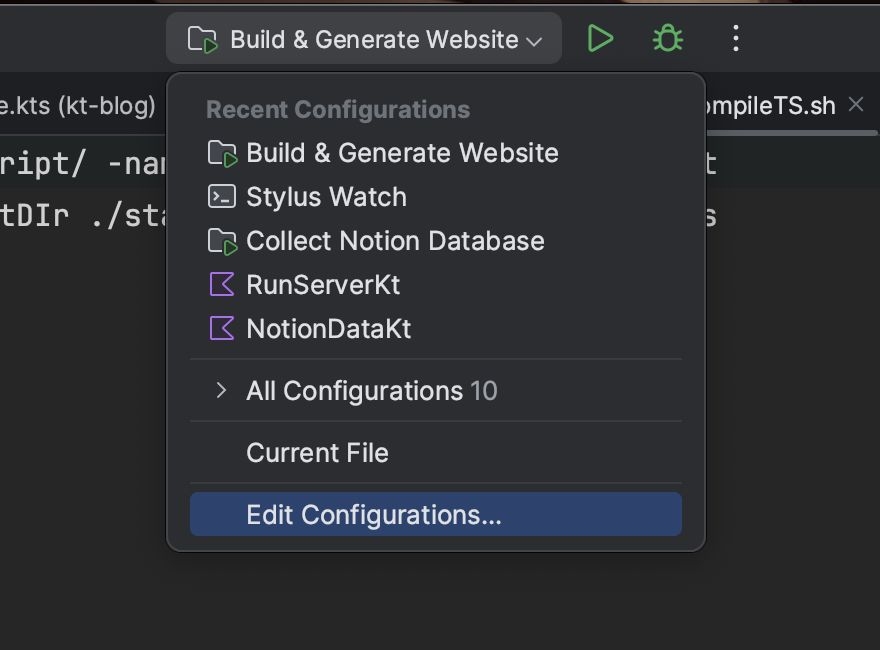
You can add a run configuration in IDEA's run options → Edit Confihurations window.
6. Debugging with a local server
For a local server, I use http-server.
GitHub - http-party/http-server: a simple zero-configuration command-line http server
Its installation and usage are explained clearly on its GitHub homepage, so I won't repeat them here.
Closing thoughts
At this point, the blog framework is complete. There's still plenty to improve: compiling currently requires running several commands and scripts, there's no bundling system or asset management system, and so on. But it's enough for my own use as it stands. Maybe I'll look into those things in the future.
This approach doesn't seem very popular, and there aren't many references, haha. If this helps someone else avoid a few pitfalls, all the better.