Time Management in Game Jams
2023-11-09
Auto translated into English by AI.
Priorities
When scheduling a project, we usually break it down into many tasks and use priorities to manage them better. Assigning sensible priorities has a huge effect on how the finished game turns out. Here are some ways to do that.
1. Divide Tasks into Three Categories
-
[Highest priority] What the game needs to be a runnable technical prototype
-
[High priority] The playable content the developers envision (levels, story, etc.)
-
[Normal priority] Things that make the game more complete (a main menu, volume controls, more polished scenes, feedback, more levels, and so on)
Once we've finished all the tasks in the first category, we at least have a version of the game that can be submitted and run. Even if there's little to play, it's still a working prototype. When deciding which tasks belong here, we need to consider the type of game we're making and the experience we want players to have. For example, in a top-down shooter aiming for an action-heavy feel, screen shake, particle effects, and some UI feedback might look like third-category tasks. In fact, they affect the core experience of a top-down shooter, so I tend to put them in the first category.
2. Finish the Most Important Part
In a gj, getting the most important part right first can make the final result feel more complete. Even if we only finish 100% of one system, the result is usually better than finishing 50% of three systems.
An example makes this easier to see. Suppose our gj theme is "jumping," and we decide to make an action platformer whose core idea is bouncing off enemies by striking downward (similar to Hollow Knight). We might break the work down like this:
-
Implement character movement
-
Implement the character's downward strike
-
Implement a health system
-
Implement the character's normal attack
-
Implement levels (level building and loading management)
-
Implement a basic enemy
-
…
Here, the first two tasks are the ones that make up our game's core idea. So during the gj, we should prioritize getting those two into good shape. For example, we shouldn't stop at movement, bouncing off strikes, and damaging enemies; we also need a smooth camera, screen shake, particle effects, good-feeling jumps, and so on. If the health system isn't finished, don't track health. If the level system isn't finished, just use one test scene. If enemies aren't finished, a block that can take damage will do. This way, even if we haven't finished a playable game by the end of the gj, we've still made a technical prototype of the core idea and verified that our downward-strike attack really is satisfying and fun. If, on the other hand, we're making a puzzle game where levels are essential, then designing and implementing a certain number of levels should be among the highest-priority tasks.
Who Does What
Get to Know Each Other's Tech Stacks
When we meet gj teammates for the first time, we often don't know their availability or tech stacks. Before the gj officially starts, introductions are a quick, efficient way to learn about both. Whatever your role, it's important to be honest about your work and your current abilities. Even if you don't think your work is worth showing, or you have no work to show at all, work up the courage to introduce yourself. Many developers new to game jams are afraid to describe their abilities clearly because they lack experience. This doesn't hide that inexperience; it only creates more trouble in later tasks. Here are some examples of introductions when teammates first meet:
-
"I'm a college sophomore, and this is my first game jam. I only know some basic C# syntax, and I've done the little fox tutorial in Unity. I'll stay in touch throughout the jam and try to contribute as much as I can. I'd appreciate your guidance."
-
"I'm an art student, just getting started with drawing on a tablet. This is my first gj, and I hope to learn a lot. Here are some artworks I've finished before [images or portfolio]…"
Some Tools
Feishu
Feishu is a team collaboration tool. You can register a personal account, create a Base, and share it with your teammates.
A Base is a document type modeled after Notion databases. Its kanban view works well for managing short-term tasks.
For more than three people, creating an organization may be a better choice.
Notion
Since Notion has no servers in mainland China, access from there is slow. Notion is more ergonomic and visually appealing, and better suited to small teams. I'd recommend it to teams with a suitable internet connection.
You can create a team workspace in Notion and invite your teammates. Notion databases work well for managing projects of all sizes.
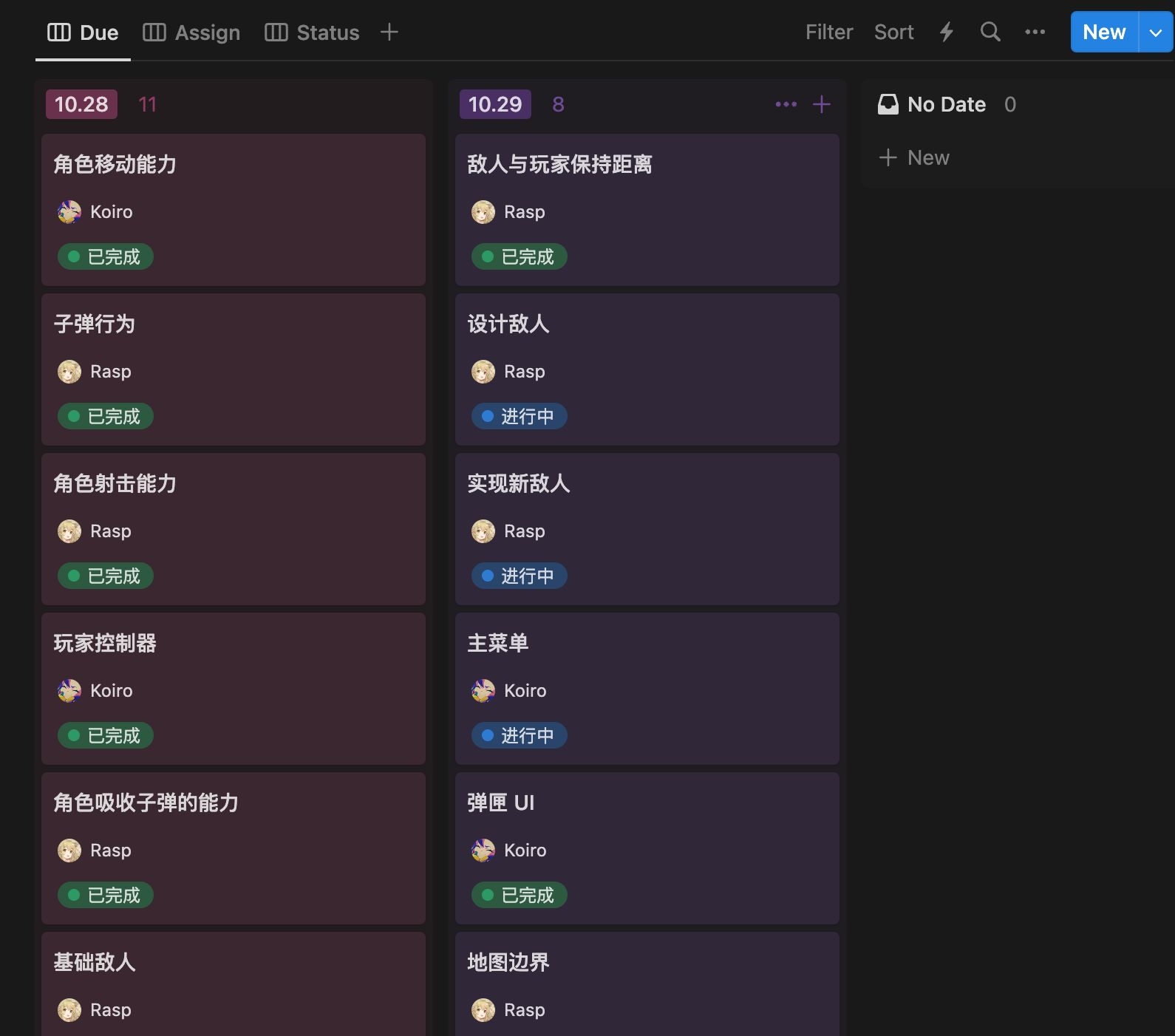
Grouped by date
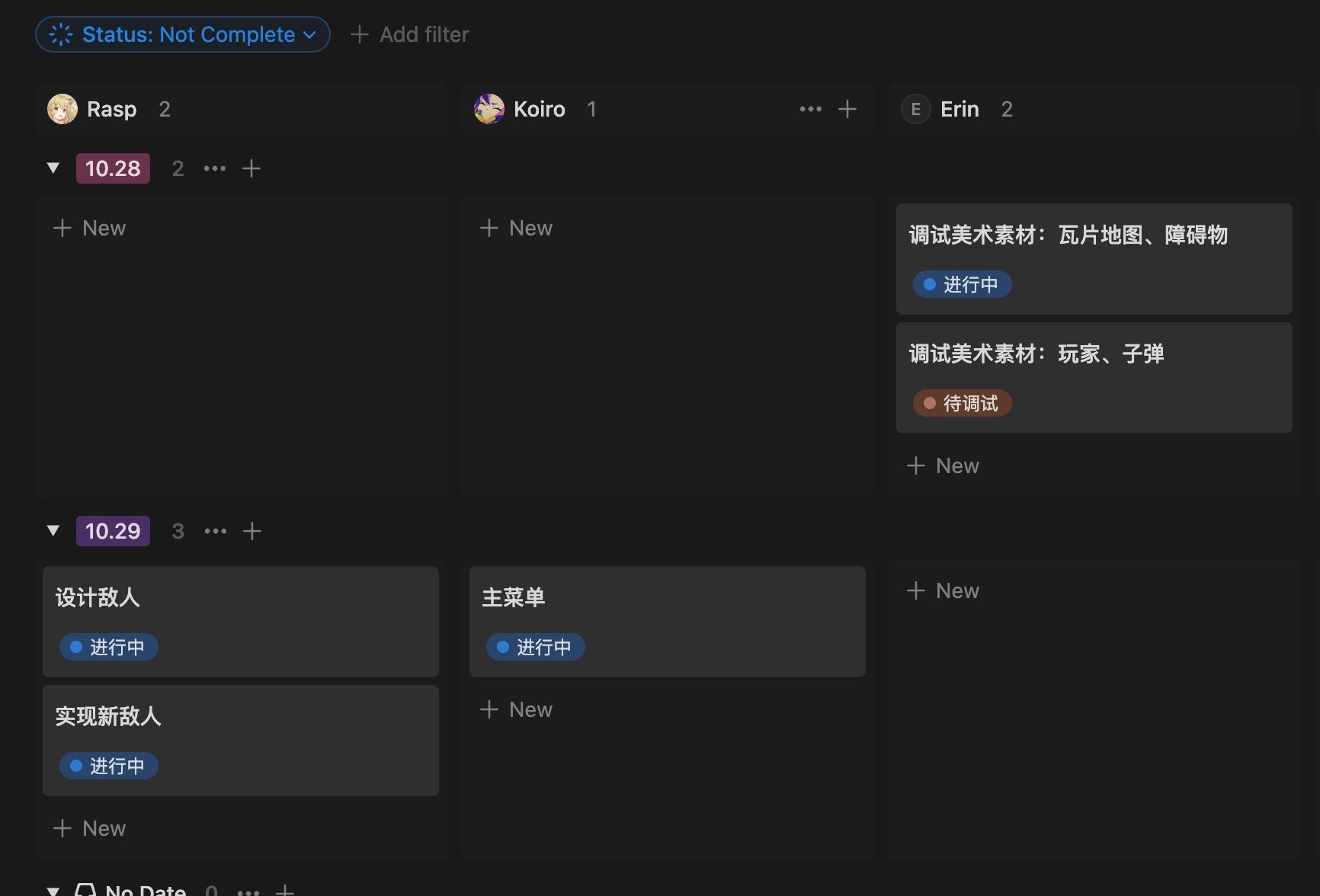
Grouped by member and date (completed tasks are hidden)